{{item.name}}
Price: {{currency}}{{item.price| numberThousandsCommas | numberDecimalPoint}}
Qty: {{item.amount}}


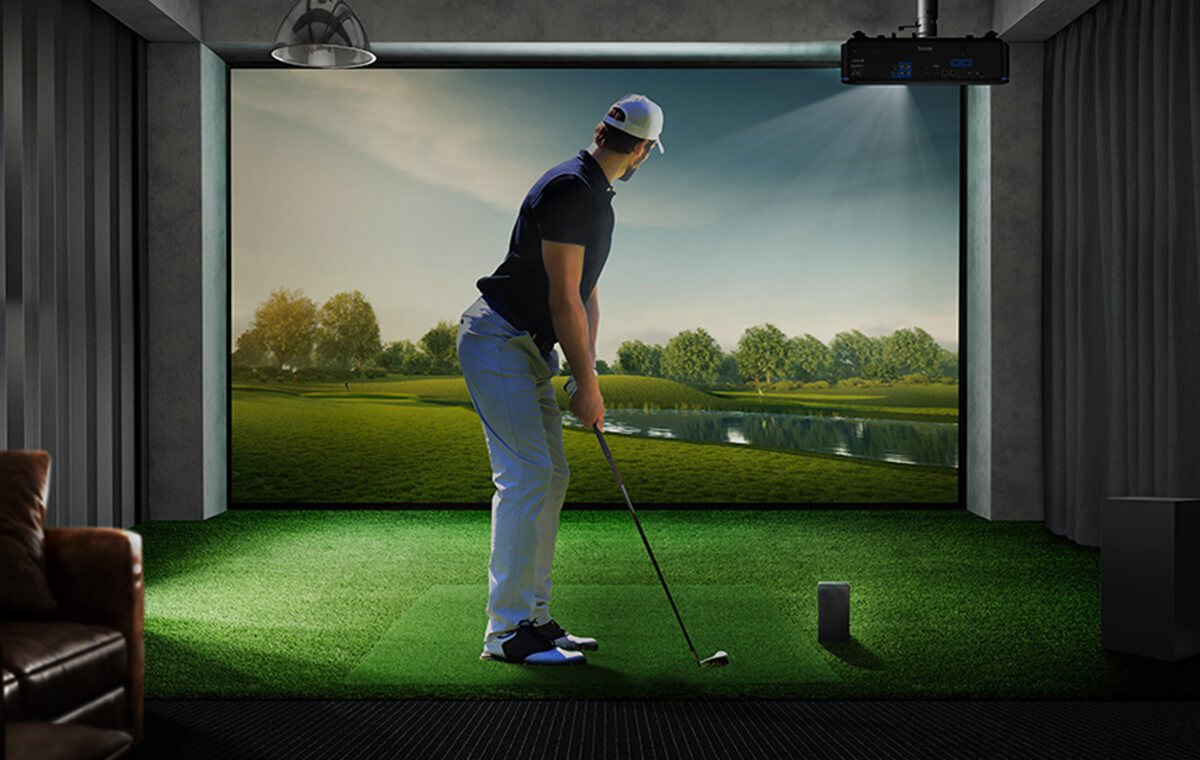
If you’re looking to setup a golf simulator in a garage, pool house, man cave or basement, a 0.50 short throw projector is the easiest way to ensure you can squeeze all your components into a tight space. In this article, we’ll compare two of these projectors that have the same lens – but are designed for completely different use cases to answer this question: Can a projector designed for the office make the cut when it comes to golf simulators? We break down how they fare using the information from each manufacturer’s website and third-party reviews to break down the key differences.
Both projectors are from well-known and established projector brands and have the same short throw lens with a 0.50 throw ratio which is ideal for using on an office table as well as tighter simulation and immersive spaces. And unlike many of the latest Epson models that have confusing “4K Enhancement” technology that only delivers half the number of pixels needed to meet the industry 4K standard, both projectors feature true 4K UHD resolution – so every detail is rendered on the screen with 8.3 million pixels. But why is the BenQ LK830ST more expensive than the Optoma ZK430ST – and is it worth it?
The first – and largest difference between these two 4K UHD projectors their color accuracy. Just like a commercial cinema projector or TV, the BenQ LK830ST uses the industry standard Rec. 709 color accuracy specification to ensure that Augusta fairways and Pebble beach ocean shots look like they do in real life. In addition, BenQ engineers have created a custom golf mode that is designed for those complex organic colors found in those ugly brown pot bunkers found at Troon and the red rock backdrops at Seven Canyons or Wolf Creek. The LK830ST’s color accuracy also can accurately render even difficult logo colors like Lufthansa orange and Coca Cola red.
Like most other conference room projectors, the Optoma ZK430ST doesn’t specify any color accuracy measurements, and may require a firmware update if you want to try out their golf mode. So, while PowerPoint green may be ideal for a meeting, it may not have the color accuracy needed to create realistic bentgrass or Poa Anna green in a golf sim.
For most conference room applications, the Optoma ZK430ST is placed on a table or mounted on the ceiling. But golf simulators and immersive spaces installations are a lot more complex. Let’s break down the differences in how easy these projectors are to install in a golf sim.
Only BenQ offers an online 360° golf simulator planning tool to help you find the right spot to mount your LK830ST projector so that it works with your launch monitor, impact screen and room size. Just select your projector, launch monitor location and impact screen size and shape – and in a few seconds you get every measurement you need to ensure that every component is properly located. Optoma only offers a traditional projector calculator.
One big advantage of the BenQ LK830ST is that it can support multiple aspect ratios with a simple push of the projector remote button. While both the Optoma and BenQ projectors use a native 4K chip with a 16:9 aspect ratio, the BenQ LK830ST has a special “Screen Fill” feature that eliminates squished or stretched images, while maintaining the high pixel density detail of 4K UHD resolution on the most common aspect ratios used in golf simulator impact screens – including 4:3 and 1:1. Simply select that aspect ratio from the Screen Fill menu on the projector and it will recalibrate the image so the image is correct – and you can see every detail on the screen exactly the way the designer intended.
The Optoma ZK430ST uses the traditional approach for conference room projectors of stretching or squishing the image when changing from the native16:9 to other aspect ratios. Optoma does not support any 1:1 aspect ratio on this projector model in their specification sheet as of April but offers a firmware upgrade that can be used to support 1:1 and other common screen aspect ratios if you have a supported video card.
While conference room projectors don’t need much adjustment (the table is usually placed in front of the screen), installing a short throw projector in a golf sim can be a challenge. The BenQ LK830ST is designed for Murphy’s Law and has twice as much horizontal and vertical keystone as the Optoma ZK450ST. So, if a stud isn’t in the right place – or you made a mistake in your measurements, you have a pretty good chance of fixing the image on the BenQ LK830ST using both the corner fit and keystone correction to avoid having to re-mount the projector.
Most conference room projector screens are less than 100 diagonal inches, but most golf simulator impact screens have 2-3 times the total image area compared to an office screen. The BenQ LK830ST is rated as 4000 ANSI lumens of brightness and designed for very large images, whether a 10 foot high golf simulator impact screen or a two story house for house mapping where every lumen counts. While the Optoma ZK450ST is rated at 3700 lumens, they don’t disclose the lumen standard that they are using. The ANSI standard used by BenQ is the most conservative standard, and some brands use the more liberal ISO standard (to deliver a higher specification number). Optoma does not disclose what – if any measurement standard they use for their proprietary 3700-lumen measurement.
Figure 2 - BenQ LK830ST can support an accurate image on a 1:1 aspect impact screen.
Since it’s nearly impossible to find a place where you can compare the two projectors side by side, let’s look at the different online reviews for each model. While at the time of this article, the BenQ LK830ST projector was only a few months old, it already has excellent third-party reviews in both golf simulation and immersive spaces from highly respected content creators. These are detailed reviews with closeups of projected images and honest opinions from human reviewers.
The Optoma ZK430ST has been available since 2023, but at the time of the article the only third-party reviews were mechanical style affiliate videos highlighting the projector specifications.
There’s no question that the Optoma ZK430ST is the cheaper projector of the two. But if you’re looking for a short throw 4K UHD projector that is easier to install with brighter and more accurate color, then check out the comparison table below to see if the BenQ LK830ST model would be best for your application and budget.
Projector Feature / Model
BenQ LK830ST
Optoma ZK430ST
Resolution
4K UHD
4K UHD
Short Throw Lens (0.5)
Yes
Yes
Brightness
4000 ANSI Lumens
3700 Proprietary Lumens
Rec. 709 Color Accuracy
93%
Not Specified
Screen Fill Technology
Yes
No - Requires frimware upgrade and video card support
Asepct Ratio Support
1:1 | 4:3 | 5:4 | 16:9 | 16:10
16:9 (16:10, 4:3, 1:1 with frimware upgrade)
Horizontal Keystone
30%
15%
Vertical Keystone
30%
15%
Golf Sim Planning Tool
Yes
No
Human Thrid Party Reviews
Yes
No
Street Price
$2499
$2399
BenQ has trained staff to help you find the perfect golf simulator projector – within your room size and budget. To help you make the best decision, you can reach out to one of our experts to set up anything from a chat to a complete online demo, to help you find the right projector for your needs.
Recommended Products
{{item.productWordingTag}}
{{currency}}{{item.finalPrice| numberThousandsCommas | numberDecimalPoint}} Save {{currency}}{{item.saveAmount | numberThousandsCommas | numberDecimalPoint}} Save {{item.savePercent | numberThousandsCommas | numberDecimalPoint}}%
new device price{{currency}}{{item.regularPrice| numberThousandsCommas | numberDecimalPoint}}